From humming to a first song
The new guided flow brings instrument selection and backing patterns to Hum → MIDI. Listen to your melody, then continue in the editor.
Tap out drums, melody and bass with your fingers and the beat builds itself. The easiest mobile DAW for beginners — no instrument, no theory.
From first beat to finished track, all in one screen — no complex software.
Drums on two-thumb pads, melody and bass on in-key lanes — every hit lands on the grid, in time.
Got a melody in your head? Hum it — we detect pitch and timing and drop it in as in-key MIDI.
Arrange sections into a song, then export to .mid, .wav or stems and keep working anywhere.
No software to open, no instrument to play.
Tap the left and right pads — kick, snare and hi-hat land right on the beat grid. Two thumbs is all it takes.
Melody and bass lanes only contain notes that fit the song's key. Tap any lane — it always sounds right.
Hum the melody in your head and we analyse pitch and timing, then place it on the track as tidy, in-key MIDI.
Render with your section arrangement, mixer levels and swing baked in — then take the stems into any DAW.
All creating and editing is free — no watermark, no quality cap.
Development update · September 18, 2026
We are developing a simpler creative flow and a desktop workspace for first-time music makers. These features describe the preview and may differ from the current store versions.
The new guided flow brings instrument selection and backing patterns to Hum → MIDI. Listen to your melody, then continue in the editor.
Record or import a WAV, trim a section, preview it on repeat, then save it as a sample or add it to your song.
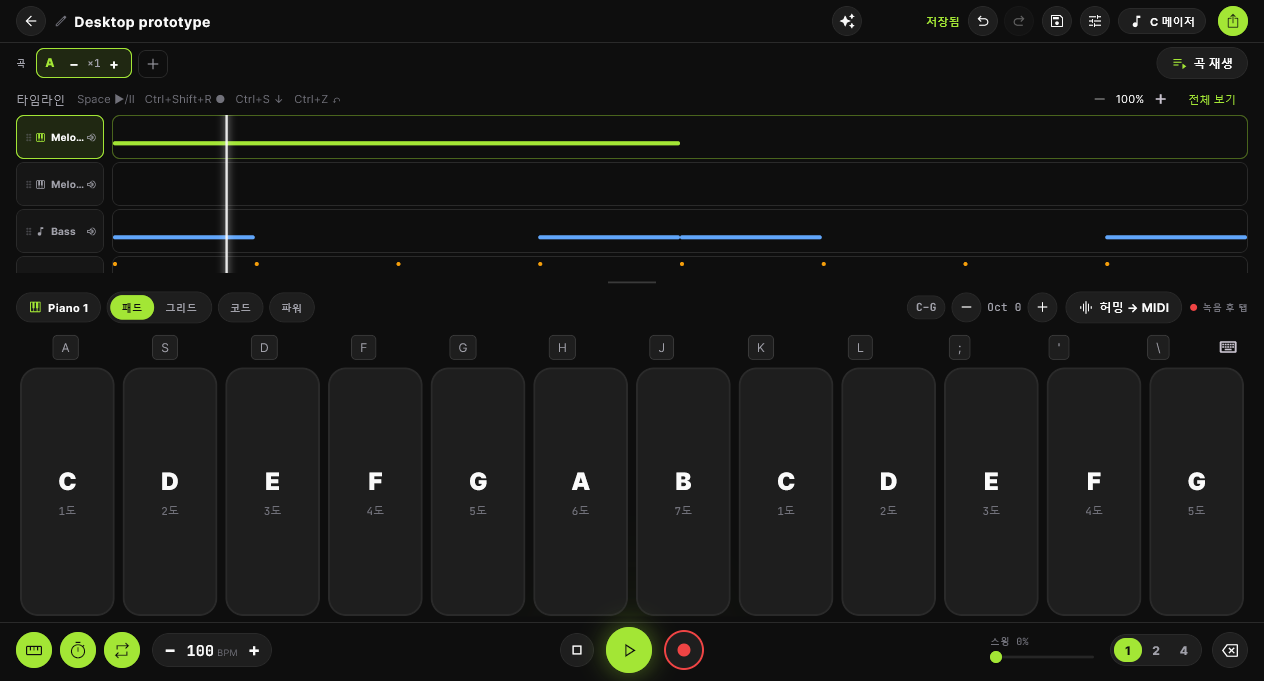
Customize piano and drum keys, resize your workspace, and zoom the timeline up to 4×. Shortcuts control playback, recording and saving.
Download and you're a few taps away. Free to start.